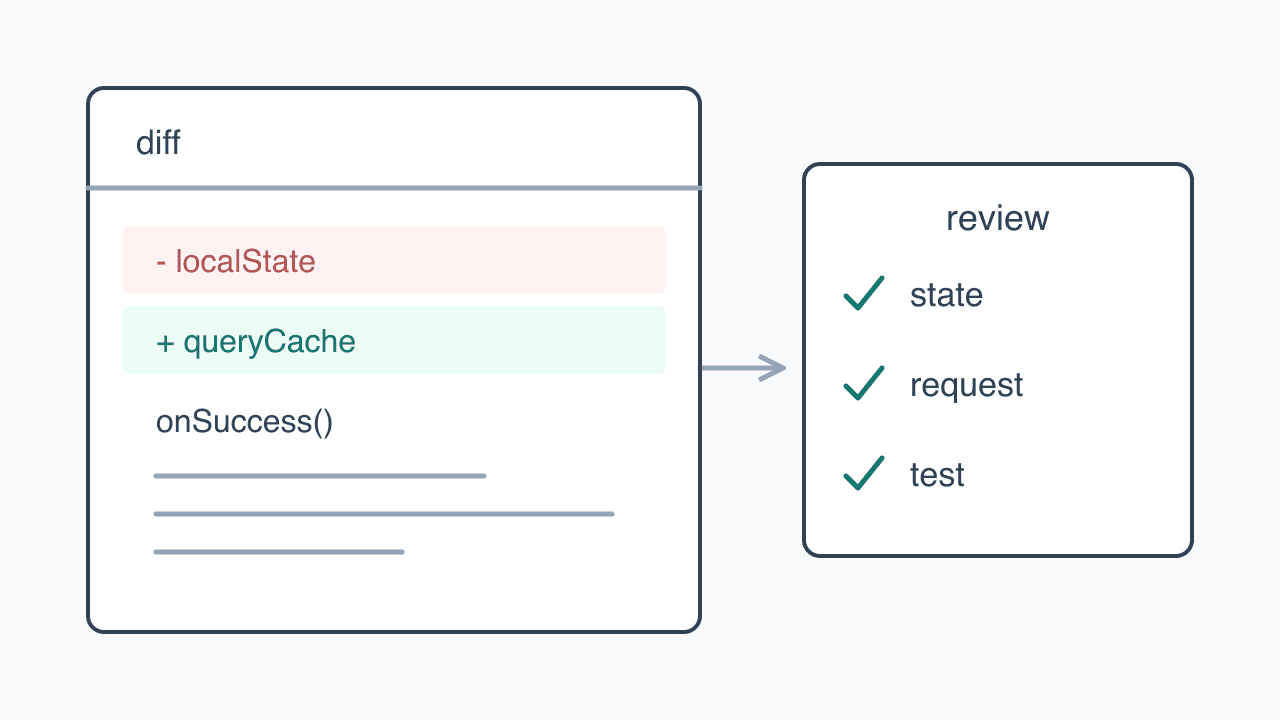
A diagram of reviewing state, request conditions, and tests in changed code.
For one sprint, I focused on running the screens rather than reading code produced by an agent. I thought working behavior would be enough, but many hotfixes followed. Conditions I had never tried were missing from that judgment.
Since then, I read diffs to decide what to test. Alongside black-box checks based on requirements, I use white-box tests whose paths come from branches and execution order in the code. Reading finds the cases; running them verifies the behavior.
Cases chosen from behavior and cases found in code
Black-box testing looks at inputs and results rather than implementation. Requirement-based screen checks, E2E user flows, and QA scenarios belong here. They test what users experience and can retain the same expectations after an implementation changes.
White-box testing chooses paths from the internals. I inspect condition order and state changes, then test those paths. It gives me cases I might not think of without knowing the code.
| Aspect | Black-box testing | White-box testing |
|---|---|---|
| How cases are chosen | Requirements and user actions | Branches, condition order, and state flow |
| What I do | Operate screens, run E2E and QA scenarios | Find internal paths, write and run tests |
| What can be missed | Unimagined inputs and internal conditions | Screen behavior that code alone does not reveal |
Both are part of my workflow.
티켓·plan 검토
→ 테스트 작성
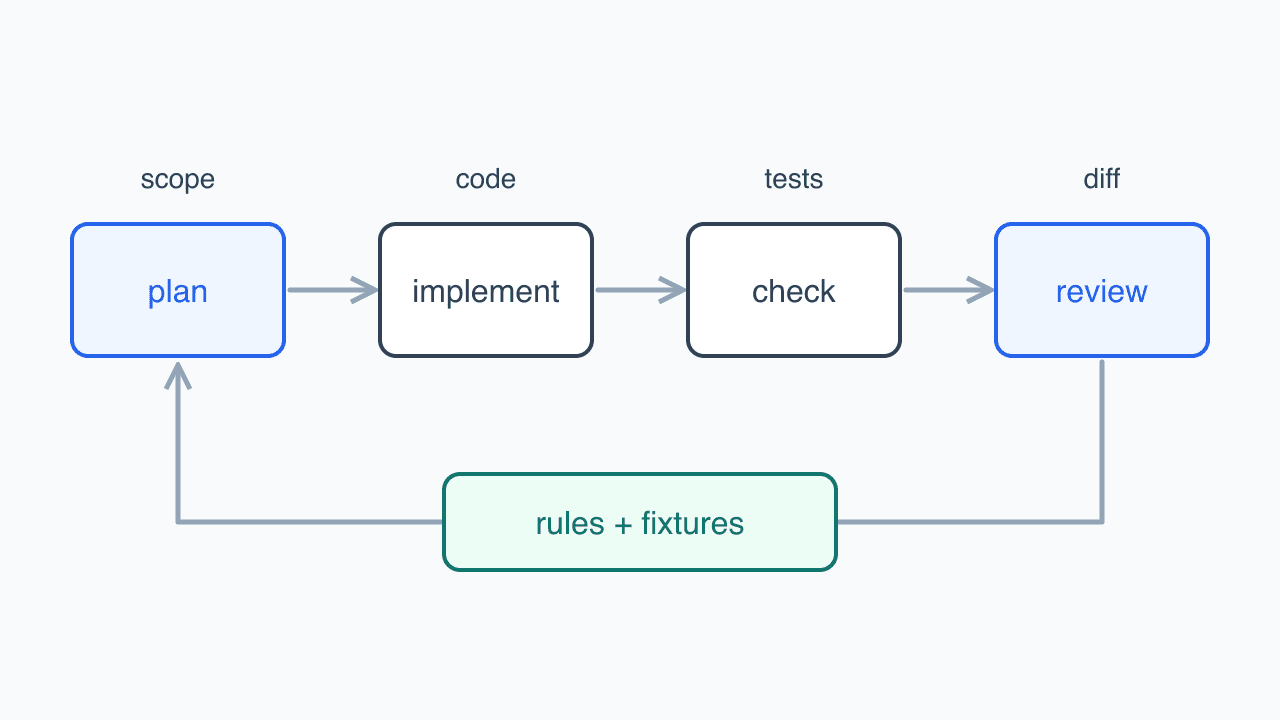
→ 에이전트 구현·에이전트 코드 리뷰
→ 변경분 테스트·lint·typecheck
→ 제 diff 리뷰·dev 화면에서 동작 확인
→ 전체 CI(테스트·knip·lint)
→ QA 더블 체크 요청
Diff review is not itself white-box testing. Finding a path in review, then writing and running a test for its conditions, is the white-box approach. Dev screens and QA also check whether behavior matches the requirements.
A temporary-opening condition could exist without running
Refactoring can change initialization, retained state after navigation, or request-failure handling while leaving the screen looking the same. Following the happy path without reading an agent's new branches makes those changes difficult to find.
Temporary opening dates required checking reservation availability as well as the input screen. A hospital opening temporarily on its usual day off must allow bookings. Appending the new condition after the old closure check produces this order. The example keeps only that order and uses renamed functions.
if (isPastDate(day)) return false;
if (isWeeklyClosed(day)) return false;
if (hasTemporaryOpening(day)) return true;
return !isTemporarilyClosed(day);
If the weekly-closure branch returns false first, hasTemporaryOpening never runs. Trying a temporary opening on a normally open day would miss it. The useful case is a date overlapping the weekly closure.
if (isPastDate(day)) return false;
if (hasTemporaryOpening(day)) return true;
if (isWeeklyClosed(day)) return false;
return !isTemporarilyClosed(day);
The actual implementation now rejects past dates first, then checks temporary openings before weekly and temporary closures. The server puts temporary openings and closures in the same array, so code that treated every entry as closed also had to distinguish types. Legacy entries without type still mean closure.
I found this while adding the feature, rather than through a production report of blocked bookings. Tests now cover opening on a usual day off, opening despite an overlapping temporary closure, and continuing to reject past dates. That checks both condition order and legacy-data interpretation, beyond merely confirming the new condition exists.
Reading code still missed scrolling
Code alone was not enough either. After converting the portal's Bottom Sheet into a compound structure, I accepted the AI implementation and existing review. Its header shared the body's scroll region, so the title moved away with the content.
I carried that structure forward during a later library upgrade for a drag crash. I read the diff and checked heights and snap positions, but did not check whether the title stayed fixed. Since then, I operate scrolling and dragging in the browser and retain browser tests for recurrence. The Bottom Sheet article describes the fix.
Reading condition order found the date worth testing; actually scrolling exposed the sheet behavior I had missed. That is why passing tests, code review, and screen checks remain separate steps.
Follow the changed flow after receiving a finished version
Not every diff needs the same reading depth. Formatting, behavior-preserving lint fixes, and agreed file moves with import changes receive checks suited to that scope. A lint task that reorders branches, or a move that changes server/client boundaries or module initialization, still gets read as a behavior change.
For features and refactoring, I follow inputs, state changes, and request conditions. I compare changes with a flow I already know rather than rereading the entire repository, then follow callers where necessary.
I read tests the same way. BDD-style *.spec files show new requirements; *.test files reproduce production and QA bugs. With a new test pattern, I check that deliberately breaking product code makes the test fail. A passing test that never checks its named behavior tells me nothing about that behavior.
Large features rarely end when an agent submits a finished version. I read the diff and tests, explain missing requirements or departures from repository conventions, and review its revision. While the agent works on that or another task, I read an earlier diff or code connected to the next change. Implementation and reading overlap.
With reference to Compound Engineering, I put recurring corrections into skills, AGENTS.md, and lint. Small features and refactorings now sometimes need no edits from me. I still read and verify them before using them unchanged. Better implementation reduces editing time without removing the need to understand what was built.
Keeping code readable is part of the work
Different names or locations for the same role make me search before I can inspect behavior. Scattered state changes and UI mixed with data transformation also hide branches. When reading becomes too difficult, verification tends to end with clicking the visible screen.
I use Knip for unused code and lint for folder placement and import direction. State placement and abstraction choices need callers and context read, so they live in skills and AGENTS.md. Keeping functions at a consistent level and separating different contexts helps me follow execution conditions next time.
Familiar names alone do not make code readable. Similar names with different roles, or branches hidden to shorten code, make review harder. I check whether I can explain what each part does and when it runs.
AI also lets me delegate folder reorganizations and shared-component interface changes. I define the intended shape and follow callers to check the result. I see that maintenance as part of keeping the code readable enough to continue this process.